
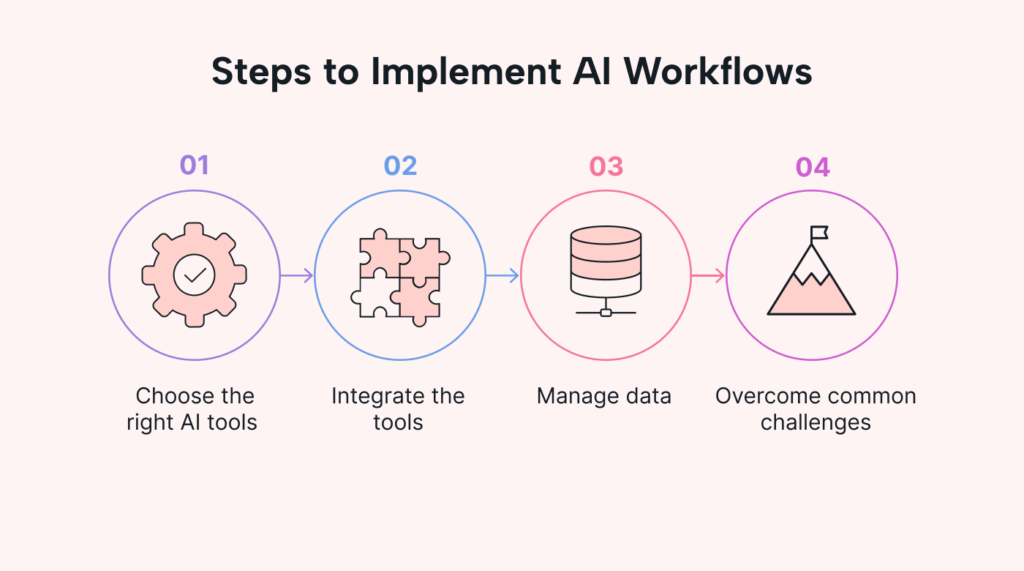
In 2026, AI automation for small businesses is no longer a luxury—it’s a competitive necessity. Rising labor costs, limited time, and increasing customer expectations are pushing business owners to automate repetitive work using artificial intelligence.
The good news? You no longer need technical expertise or a large budget to get started.
This guide explains how small businesses can use AI automation in 2026, with real examples, tool comparisons, and practical steps to implement automation safely and effectively.
What Is AI Automation for Small Businesses?
AI automation combines artificial intelligence + workflow automation to handle tasks that normally require human effort.
Instead of manually:
- Responding to emails
- Managing leads
- Scheduling meetings
- Creating reports
AI systems now do this automatically, accurately, and 24/7.
Common AI Automation Tasks
- Customer support chatbots
- Invoice processing
- Email marketing sequences
- Appointment scheduling
- Data entry and reporting
Why AI Automation Matters More in 2026
Small businesses face tighter margins than ever. AI automation helps solve three major problems:
1. Time Shortage
AI tools work nonstop, freeing owners to focus on growth.
2. Rising Operational Costs
Automation reduces dependency on manual labor for repetitive tasks.
3. Customer Expectations
Instant responses and personalization are now standard, not optional.
Best AI Automation Use Cases (By Department)
Marketing Automation
- AI email campaigns
- Personalized product recommendations
- Social media scheduling and caption generation
Sales Automation
- AI lead scoring
- Automated follow-ups
- CRM data updates
Customer Support Automation
- AI chatbots
- Automated ticket routing
- FAQ handling
Finance & Operations
- Invoice categorization
- Expense tracking
- Sales forecasting
AI Automation Tools Comparison (2026)
| Tool Type | Best For | Key Benefit |
|---|---|---|
| Workflow Automation AI | Task automation | Connects apps without coding |
| AI Chatbots | Customer support | 24/7 instant responses |
| CRM AI Tools | Sales teams | Smart lead prioritization |
| Accounting AI | Finance tasks | Reduces errors & saves time |
Tip: Choose tools that integrate with your existing software to avoid complexity.
Step-by-Step: How to Start AI Automation
Step 1: Identify Repetitive Tasks
Start with tasks you repeat daily or weekly.
Step 2: Automate One Process First
Avoid automating everything at once. Start small.
Step 3: Test & Monitor
Review automation accuracy before scaling.
Step 4: Optimize Over Time
AI improves when workflows are refined regularly.
Real-World Example
A small eCommerce store in Europe used AI automation for:
- Customer chat support
- Order confirmation emails
- Inventory alerts
Result in 90 days:
- 40% reduction in support workload
- Faster customer responses
- Increased customer satisfaction
Common Mistakes to Avoid
❌ Automating complex decisions too early
❌ Ignoring human review for sensitive tasks
❌ Using too many tools without integration
❌ Expecting instant perfection
AI automation works best when combined with human oversight.
Internal Links (Recommended)
- How AI Tools Improve Productivity in 2026
- Best No-Code AI Tools for Beginners
- AI Chatbots vs Human Support: What Works Better
(Use keyword-rich anchor text for better SEO)
AI Automation Trends to Watch in 2026
- Voice-based AI workflows
- Predictive automation using customer behavior
- AI agents managing multiple tools
- Privacy-focused automation systems
Monetization Tip (Non-Spammy)
Recommend AI tools only after explaining the problem and solution.
Use comparison tables and real use cases instead of hype.
Disclaimer
This article is for educational purposes only. Always review automation workflows carefully before applying them to financial, legal, or customer-critical operations.
Conclusion
AI automation in 2026 gives small businesses the power to compete with larger companies without increasing costs. By starting small, choosing the right tools, and combining AI with human judgment, automation becomes a growth engine—not a risk.